How to play
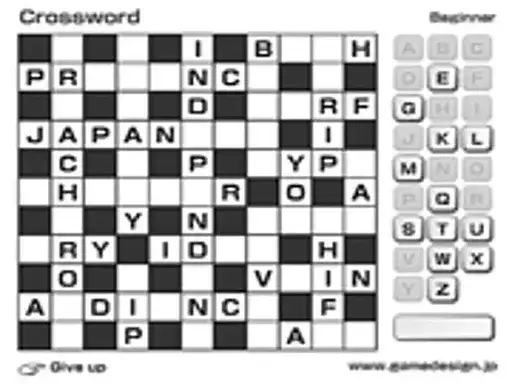
Crossword is a word puzzle where you compose words on a grid. The game sits in the words category and is tagged as a puzzle and a thinking game, so the work is in figuring out answers rather than reacting fast. You read the clues, decide which word fits, and place its letters into the grid squares. Each answer you complete supplies letters to the words that cross it, which means the grid becomes easier to read as it fills up. The game runs free in your browser and needs no install before you begin.
Controls explained
Everything happens through interaction with the puzzle itself. Select a square, then enter your letters for the answer you have in mind. The input is simple to pick up. The challenge lives in the clues and in how the words fit together, not in the controls. Take your time on each entry and check how it lines up with the answers crossing it before you move on.
Tips
- Begin with the clues you find easiest. Every word you place hands letters to the answers that cross it.
- Check the crossing letters before you commit to a long answer, because a single wrong letter can spoil more than one word.
- Try the shorter words first when a stretch of the grid looks difficult.
- Return to the clues you skipped. Letters from other answers often make a stubborn clue solvable.
- Spread your answers around the puzzle instead of finishing one corner at a time.
FAQ
What kind of game is Crossword? It is a word puzzle in the words category, tagged as a puzzle and a thinking game. You compose words on a grid by working out the answers to clues.
Do I need to install anything to play? No. The game runs free in your browser, so you can open it and start solving without a download.
What are the controls? The game uses interaction with the puzzle. You select squares and enter letters as you solve the clues.